MasQrade is the sophisticated queue management system that lets event artists focus on their craft while we handle the crowd. Effortless for your guests. Powerful for your business.
🎨 Services: Face Painting, Glitter Tattoos, Henna Tattoos
Start adding your designs and events
Step 2 — Dynamic Queue Control
Launch Your First Event
Create bookings for local festivals, corporate parties, or birthday gigs in a single tap. Set up waitlist bounds, configure estimated wait times, and choose your queue mode.
Auto-Pilot Mode: Clients join the queue digitally via QR scan
Walk-up Mode: Add clients' names manually as they approach your chair
Smart Tracking: Live wait time tracker powered by the smart InQenium Engine
Curate a stunning digital menu for children and event guests. Upload your own high-resolution creations or tap to import from our extensive library of 50+ pro-grade face painting examples.
Categories for easy browsing (Superheroes, Animals, Halloween, etc.)
Hide or show designs dynamically mid-event based on time constraints
Instant compression formats load design galleries in milliseconds
Bridge the gap between physical events and digital queues. Instantly export a beautifully pre-formatted PDF poster containing your event's specific InQenium QR code. Print it out and place it on your easel!
Download clean, professional A4/Letter size display templates
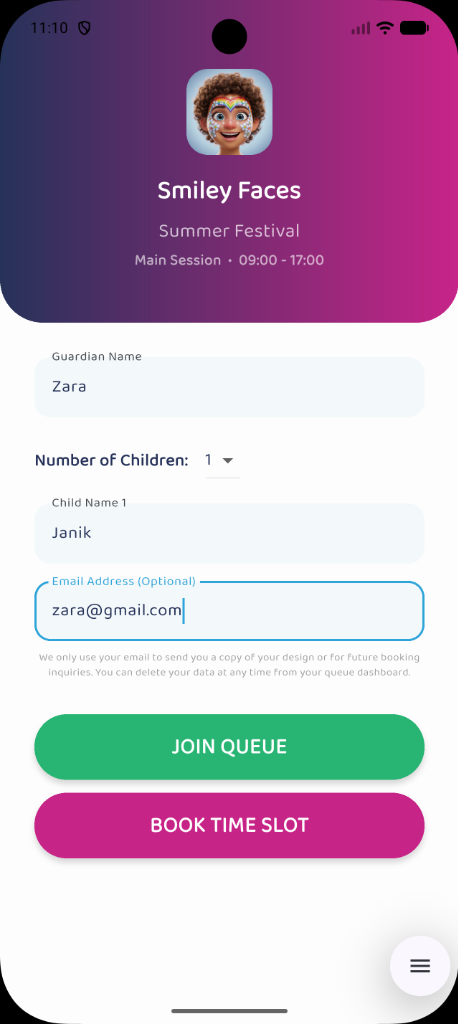
Clients scan, view your custom visual menu, and join the queue in 5 seconds
Parents get automated SMS/browser notices when their slot is 3 turns away
Transitioning to a digital queue is an absolute game-changer, but to make sure your first event goes off without a hitch, it requires just a little bit of setup.
We are so thrilled to help you ditch the chaotic physical lines so you can focus on what you do best: creating amazing art. Transitioning to a digital queue is an absolute game-changer for your business, but to make sure your first event goes off without a hitch, it requires just a little bit of setup.
Phase 1: Set Up Your App (A Few Days Before)
Before you generate your first queue, our algorithm needs to learn how you work.
1. Load Your Designs (and be honest with your times!)
Our app calculates exactly when to text the next parent based on the time it takes you to paint. Go to the Designs tab and ensure every design or service you plan to offer is listed.
Pro Tip: Don't just list the time the brush is on the skin! If a Spiderman takes 3 minutes to paint, but it takes 2 minutes to get the child in and out of the chair, list the design as 5 minutes.
🚨 Critical Note: You MUST have at least one design loaded into the app. If you have zero designs saved, the app will block you from taking walk-ins!
2. Curate Your Themes (Tailor your menu!)
Do you have dozens of designs, but only want to offer "Superheroes" at a specific birthday party? Group your designs into custom Themes! When you create your Event, you can attach a specific Theme to it, so parents only see what's available.
3. Plan Your Sessions (and your lunch breaks!)
When defining your Sessions, don't make one massive block. If you paint from 10:00 AM to 4:00 PM with a lunch break at 1:00 PM, create two separate Sessions. MasQrade automatically stops accepting people when the remaining time is too short, guaranteeing you get your lunch break exactly on time!
Phase 2: Do a "Dry Run" (The Day Before)
Never use a new piece of technology live for the very first time! Grab your tablet and a spare phone.
Create a Test Event: Make a dummy event called "Practice Run" on your dashboard.
Scan the QR Code: Use your personal phone to scan the queue QR code, just like a customer would.
Join the Queue: Pick a design on the "parent" phone and join the line to see the estimated wait time.
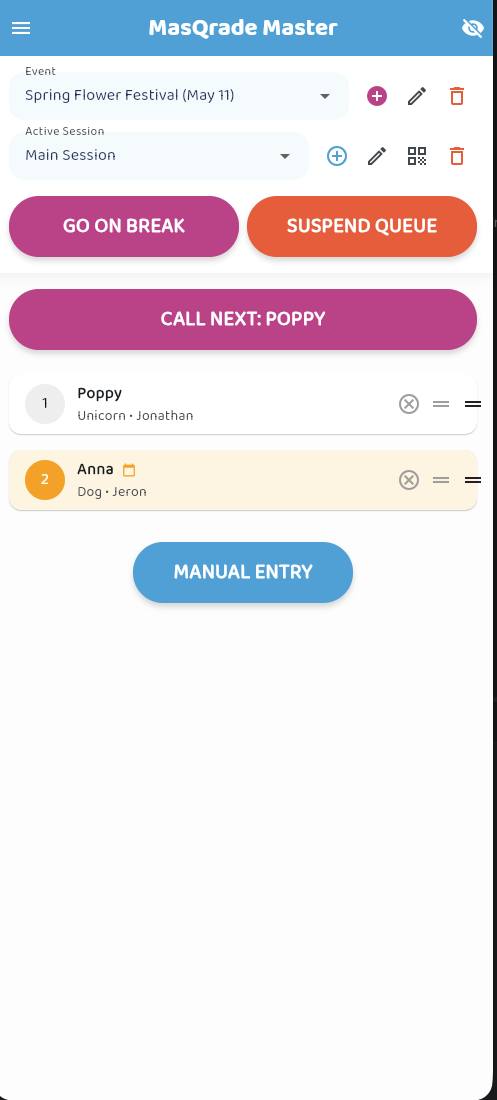
Practice the Flow: On your Artist device, tap Call Next to summon the parent, and mark the design as Complete. Try doing a Manual Entry.
Hit the Panic Buttons: Practice tapping Go On Break and Suspend Queue. Watch how it updates the parent's screen instantly.
Phase 3: Event Day (At the Gig)
You know the app works. Now it's time to set up your physical booth!
1. Make Your QR Code MASSIVE
Print your MasQrade QR code large and place it exactly at eye level with a bright sign: "Scan to join the digital line! Go enjoy the festival, we will text you when it's your turn."
2. Prepare Your Tech Survival Kit
Having your screen on all day drains your battery. Always bring a high-capacity power bank. If possible, ask the event organizer for a private vendor Wi-Fi password to avoid congested 5G towers.
3. Learn the "Elevator Pitch"
When a parent ignores the sign and asks "Are you open?", have a 5-second script ready with a smile: "Yes! I'm using a digital queue today so you don't have to wait in the hot sun. Just scan this QR code right here!"
You're Ready! 🎉
By setting accurate design times, scheduling your sessions around your breaks, and doing a quick dry run, you are guaranteeing that MasQrade will be the perfect digital assistant.